
1Why does Gen 4 cost less than Gen 3 while offering more features?
A more mature supply chain and increased factory automation have substantially lowered manufacturing costs.
As our supply chain and production capabilities mature, we can offer more features while reducing manufacturing costs. To expand into overseas markets, HOSFU passes these cost advantages on to customers, making the more fully featured Gen 4 accessible at a lower price.
Generation number and feature count do not determine price on their own. Check the product page for current pricing.
2Why does Gen 4 look like a bicycle saddle?
The shape helps you find the sitting position more easily.
Sit naturally with the front between your legs so the central air cushion aligns beneath the perineal area. The shape supports external seated use and cushion placement; you do not pedal or move as if cycling.
3How does the app display my training movements?
The central air cushion senses pressure changes and sends them over Bluetooth.
In professional mode, the system records pressure changes as you actively contract, hold and relax, and the app displays graphical feedback. Sitting position and body pressure also affect readings, so calibration and active movement remain important.
4Can both men and women use it?
The instructions describe use by adult men and women who want to practise pelvic floor control.
Both use the external seated format. Check the precautions for your circumstances; ask a qualified professional first if you have persistent pain, significant emptying difficulties, recent relevant surgery or pregnancy.
5Do I need to inflate the cushion before use?
Yes. The instructions say to hold the inflation button for 2–3 seconds before training.
Inflate the central cushion before using the device. After changing its state, calibrate professional training for your current sitting position; inflation does not replace calibration.
6Do I need to undress or insert the trainer?
No.
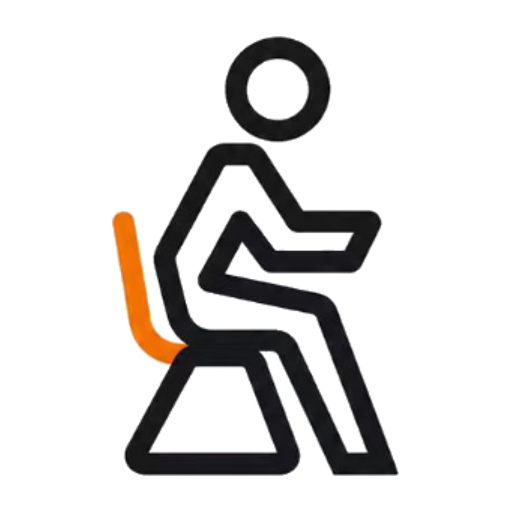
Gen 4 is an external, seated trainer intended for use over clothing. Put it on a flat, stable, firm chair. Sit naturally as you would on a bicycle saddle, with the front between your legs, the central air cushion beneath your perineal area and both feet on the floor.
7Can I use Gen 4 without my phone?
Yes. Quick Comfort mode works without the app or calibration.
- Hold the power button for about 2 seconds.
- When the white breathing light appears, press the power button twice.
- A steady orange light confirms vibration and warmth are running.
Quick Comfort switches off automatically after 3 minutes.
8What is the correct order for professional training?
Professional training with feedback requires the HOSFU app and calibration.
- Switch on and check for the white breathing light.
- Turn on phone Bluetooth and open the HOSFU app.
- Wait for a steady blue light confirming connection, then sit on the trainer.
- Choose your program and enter its screen.
- Complete calibration before beginning training.
9Can I switch directly between the two modes?
No.
Switch the device off, then on again to choose the other mode. If the light is orange and you want to connect the app, restart the device first.
10Why do I need to calibrate before professional training?
Body size, sitting position and cushion state affect baseline pressure.
Calibration establishes a baseline for your current setup so the system can distinguish sitting pressure from pressure changes during training. The curve is supporting feedback; a higher reading does not necessarily mean better technique.
11Why is there no vibration in professional mode?
Check that Bluetooth is connected and calibration is complete.
Professional-mode training vibration starts after successful calibration. Keep your sitting position and cushion placement stable, then follow the selected program’s prompts to recalibrate.
12What should I check if the app does not connect?
Check that the device is switched on with a white breathing light and phone Bluetooth is enabled, then reopen the app.
A steady orange light means Quick Comfort mode is active; switch off and restart before connecting.
13Should I push harder if the curve is small or unusual?
Check calibration, cushion placement and whether you are following the program with an active contraction.
Do not squeeze your thighs or buttocks, or push your body down, to manufacture a higher curve. Recalibrate after moving the device or changing your position or cushion state.
14What do the indicator colors mean?
Check the light before choosing your next step.
- White breathing light: switched on, waiting for a mode.
- Steady blue: app connected.
- Steady orange: Quick Comfort mode running.
- Flashing red: low battery.
- Steady red: charging.
- Steady green: fully charged.
15Why does the device switch off by itself?
Quick Comfort mode switches off after 3 minutes.
Professional/Bluetooth mode switches off after 15 minutes with no operation. Also check the low-battery indicator.
16Can I use it while charging or rinse it with water?
No.
Stop using the device while charging. Do not immerse or rinse it, or disassemble, modify or repair it yourself.
17Where should I start with my first session?
After calibration, choose a basic or beginner course and learn the contraction–hold–relax rhythm.
Breathe naturally and focus on movement and relaxation before trying games or custom courses. There is no need to chase a high score.
18What should a contraction feel like?
Aim for an inward and upward contraction, followed by full relaxation.
Keep breathing naturally and keep your abdomen, buttocks and thighs as relaxed as possible. Do not hold your breath, squeeze your legs or buttocks, brace your abdomen or push down to substitute for a pelvic floor contraction. Do not remain continuously tense.
19What training options are in the app?
The instructions list courses, physical feedback, games and custom programs.
Learn the basic course first, then explore physical feedback before trying games or custom programs. Complete calibration before professional training.
- Courses: follow a contraction, hold and relaxation routine.
- Physical feedback: observe real-time pressure changes with vibration feedback after calibration.
- Games: practise contraction and relaxation control through interaction.
- Custom programs: set contraction, hold and relaxation timing.
20Can I use Quick Comfort before or after training?
The instructions describe use before training, after training or on its own.
Quick Comfort provides brief vibration and warmth rather than a professional feedback session. Restart the device to switch modes, and do not treat vibration as proof that you have actively completed a contraction.
21When should I recalibrate?
Recalibrate after moving the device or changing your position or cushion state.
Check placement and recalibrate if the curve or vibration feedback becomes unusual. On the selected program screen, follow the prompts to relax or perform the specified movement. Do not rock, squeeze your thighs or buttocks, or deliberately push down on the cushion.
22What are the charging input and battery capacity?
The instructions specify DC 5V / 1A input and a 2000mAh battery.
Stop using the device while charging. Steady red means charging and steady green means fully charged. Capacity does not specify the runtime of every session.
Based on the HOSFU Gen 4 instructions revised September 30. Stop using the device if you experience pain, burning or noticeable discomfort. Ask a qualified professional before use if you have persistent pelvic pain, significant bladder or bowel emptying difficulties, recent relevant surgery, pregnancy or another special condition.